
Download Clipple – Multi‑Clipboard Manager for Firefox
Overview
Clipple is a lightweight, free Firefox add‑on that transforms the single‑slot clipboard into a robust, multi‑item storage hub. By allowing users to keep several snippets of text in memory, Clipple eliminates the classic “copy‑and‑paste‑overwrites” problem that plagues anyone who works extensively on the web. The add‑on lives as a tiny icon in the lower‑right corner of the browser window, providing instant access to a list of previously copied texts.
With a single click, you can raise any stored entry to the top of the clipboard, making it ready for an immediate paste operation. Clipple also remembers your clipboard history across browsing sessions, offers configurable limits on the number of stored items and their length, and even includes a smart filter that can ignore passwords or other sensitive data. This combination of simplicity and powerful control makes Clipple the perfect anti‑overwriting ally for students, developers, writers, and power users who rely on cut, copy, and paste to get work done quickly and accurately.
Key Features
- Unlimited quick‑access storage for text snippets, up to a user‑defined limit.
- One‑click “Raise Item To Top” to move any stored entry to the active clipboard.
- Persistent history that survives browser restarts and system reboots.
- Configurable item length restriction to prevent overly large entries.
- Privacy‑first filter that automatically excludes passwords and other sensitive strings.
- Minimalist UI – a tiny icon that never interferes with your browsing experience.
- Full localization support, including Traditional Chinese (zh‑TW) and future language packs.
- Free, open‑source code with regular updates from the developer community.
How to Install and Use Clipple
Getting Clipple up and running takes less than a minute. Follow these steps to start storing multiple texts in your clipboard:
- Open Firefox and navigate to the Clipple add‑on page on the official Mozilla Add‑ons site.
- Click the “Add to Firefox” button. Firefox will prompt you to confirm the installation – choose “Add”.
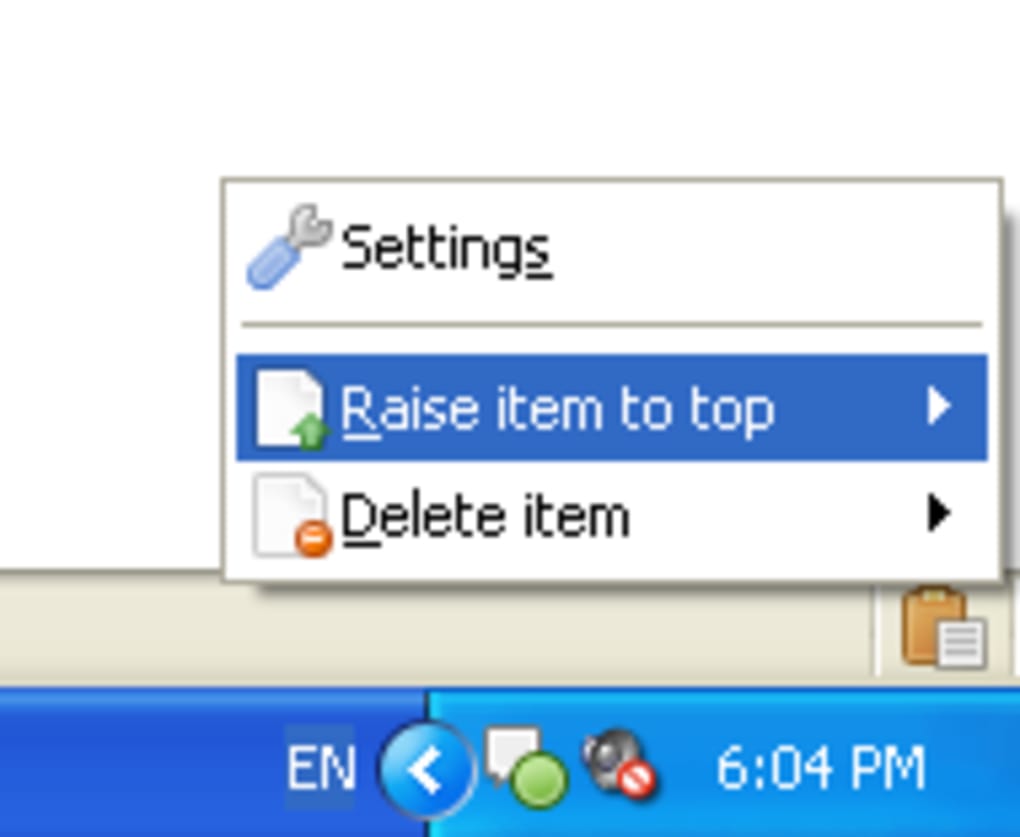
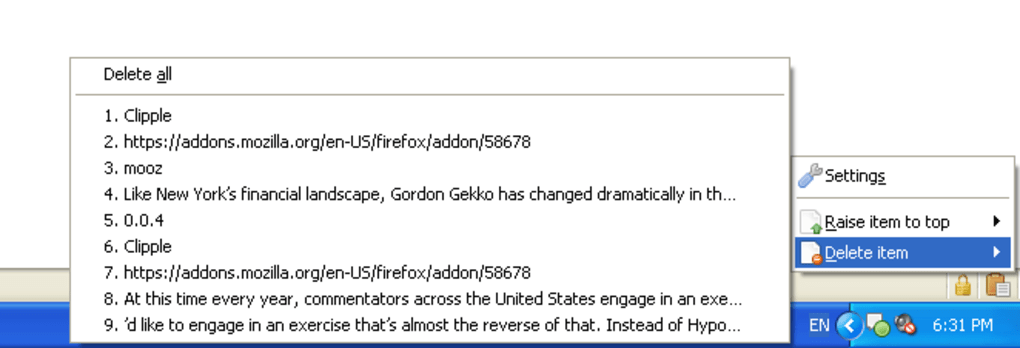
- Once installed, a small Clipple icon appears in the lower‑right corner of the browser window. Click it to reveal the clipboard history panel.
- Copy any text on a web page as you normally would (Ctrl +C or right‑click → Copy). The text automatically appears as the newest entry in the Clipple list.
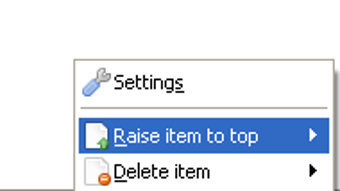
- To paste a previously stored item, open the Clipple panel, hover over the desired entry, and click the “Raise Item To Top” button (represented by an upward arrow). The selected text moves to the top of the clipboard, ready for a standard paste (Ctrl + V).
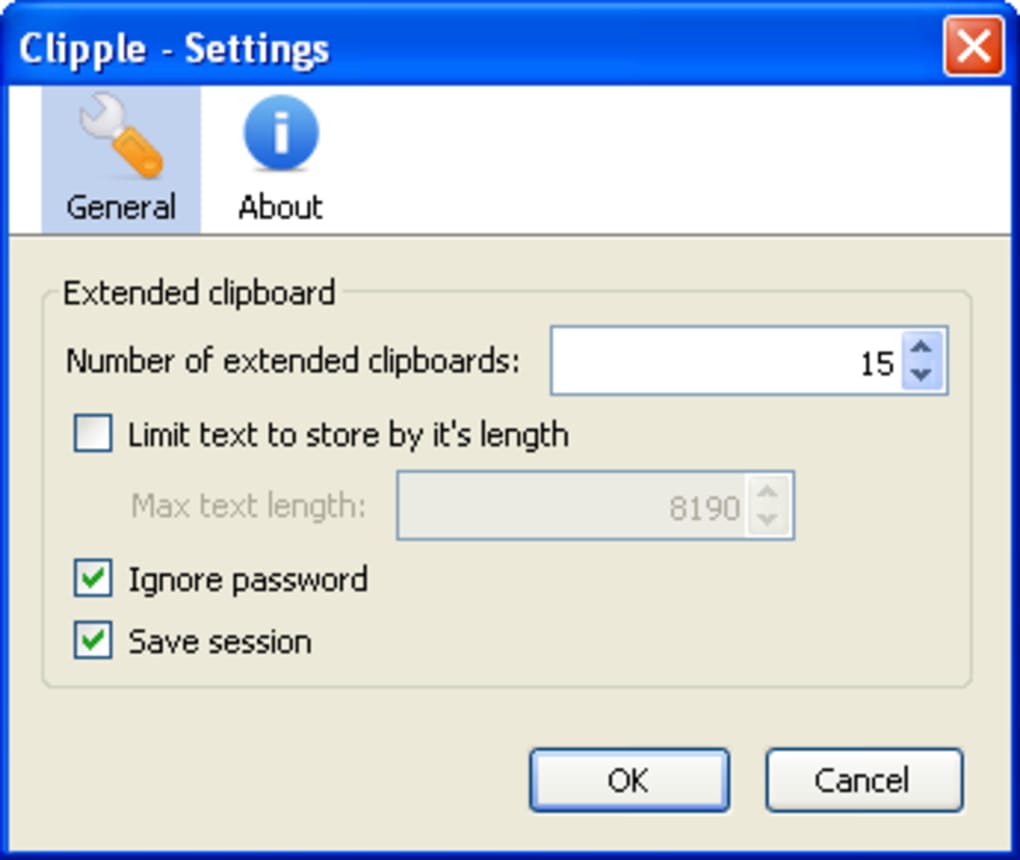
- Access the settings by right‑clicking the Clipple icon and choosing “Options”. Here you can define the maximum number of stored items, set a character‑limit per entry, and enable the password‑ignore filter.
Because Clipple runs entirely within Firefox, there is no extra software to install on your operating system. The add‑on updates automatically through Firefox’s built‑in extension manager, ensuring you always have the latest security patches and feature enhancements without manual intervention.
Compatibility, Pros and Cons
Compatibility
Clipple is designed exclusively for the Firefox browser, which is available on Windows, macOS, Linux, Android, and iOS (via Firefox for Android). As long as you run a supported version of Firefox (Firefox 78+), Clipple will function flawlessly. The add‑on does not require any additional permissions beyond clipboard access and storage of small text fragments, keeping your system secure and lightweight.
Pros
- Free and open source: No hidden fees or trial periods.
- Zero‑configuration start: Begins working immediately after installation.
- Session persistence: Clipboard history survives browser restarts.
- Privacy aware: Built‑in filter for passwords and sensitive data.
- Lightweight footprint: Consumes negligible CPU and memory.
- Cross‑platform support: Works wherever Firefox runs.
Cons
- Limited to text only – does not store images or rich media.
- Only available for Firefox; users of Chrome, Edge, or Safari need a different solution.
- Advanced customization (e.g., custom hotkeys) is not currently supported.
- History size is bounded by user‑defined limits, which may require occasional pruning.
Frequently Asked Questions
Is Clipple completely free to use?
Yes, Clipple is a free Firefox add‑on. There are no hidden charges, subscription fees, or premium tiers. All features are available to every user after installation.
Can Clipple store images or other non‑text data?
Currently Clipple only handles plain text snippets. If you need to store images, consider using a dedicated clipboard manager that supports rich media.
Will Clipple sync my clipboard across devices?
No, Clipple’s history is stored locally within the Firefox profile on each device. Syncing across devices would require a separate cloud‑based solution.
How does the password‑ignore feature work?
When enabled, Clipple scans copied strings for common password patterns (e.g., long alphanumeric strings with symbols) and automatically excludes them from the history, protecting sensitive data from accidental exposure.
Is Clipple safe for corporate environments?
Yes. Clipple only accesses the clipboard and stores short text fragments locally. It does not transmit data over the internet, making it suitable for privacy‑focused workplaces.
Conclusion – Get Clipple Today
In a world where copy‑and‑paste is the lingua franca of digital work, Clipple delivers a simple yet powerful upgrade to the traditional clipboard. By giving you a persistent, multi‑item storage space that lives directly inside Firefox, the add‑on eliminates the dreaded “I overwrote my last copy” moment and lets you focus on creating, coding, or researching without interruption. Its free price tag, minimal resource usage, and privacy‑first design make it an indispensable tool for anyone who spends time on the web. Don’t let a single‑slot clipboard slow you down—download Clipple now, configure your limits, and experience a smoother, more reliable workflow today.
Overall Rating: 5/5
Pros: Free, lightweight, persistent history, password filter, cross‑platform.
Cons: Text‑only, Firefox‑only, no advanced hotkeys.
Click here to add Clipple to Firefox now and start managing your clipboard like a pro.







